Table of Contents Link to heading
- Man Pages
- Finding Commands and Documentation
- Finding Files with locate
- Info Documentation
- Additional Help Sources
Man Pages Link to heading
Man pages (manual pages) are the authoritative reference documentation for Linux commands, system calls, library functions, and configuration file formats. Every standard command ships with a man page; third-party packages typically include man pages as part of their installation.
Man pages are reference documentation — they describe what a command does, what options are available, and what files it uses. They are not tutorials. For learning a new tool conceptually, info pages or online guides are better starting points; for looking up a specific option during use, a man page is the fastest resource.
Viewing Man Pages Link to heading
man ls          # open the man page for ls
man 5 passwd    # open section 5 (file format) of the passwd man page
Man pages display in a pager (typically less). Navigation:
| Key | Action |
|---|---|
| ↑ / ↓ | Scroll line by line |
| Space | Scroll down one screen |
b |
Scroll up one screen |
/pattern |
Search forward for pattern |
n |
Jump to next search match |
N |
Jump to previous search match |
h |
Display help (full key reference) |
q |
Quit |
Man Page Sections Link to heading
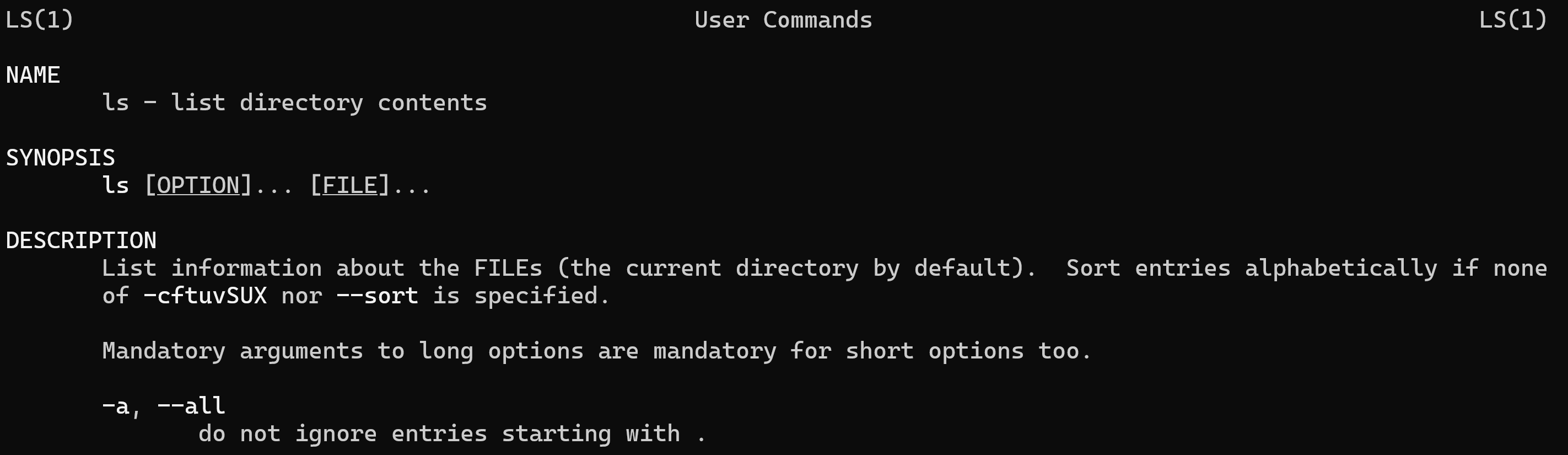
Man pages are organised into named sections, each serving a specific purpose:
| Section | Title | Contents |
|---|---|---|
| NAME | Name | Command name and one-line description |
| SYNOPSIS | Synopsis | Usage syntax with all options summarised |
| DESCRIPTION | Description | Detailed explanation of what the command does |
| OPTIONS | Options | Each option with a description of its effect |
| FILES | Files | Configuration files and other files the command uses |
| AUTHOR | Author | Who wrote the command and man page |
| REPORTING BUGS | Bugs | How to report defects |
| COPYRIGHT | Copyright | Licence information |
| SEE ALSO | See Also | Related commands or resources |
The SYNOPSIS section uses a standard notation worth understanding: items in [] are optional; items in {} are required; ... means the item can repeat; | separates mutually exclusive alternatives.
Searching Within a Man Page Link to heading
/pattern— search forward; pressnfor next match,Nfor previous- Searches are case-sensitive by default; prefix with
(?i)for case-insensitive in some pager implementations
Man Page Categories Link to heading
Man pages are divided into numbered sections that organise documentation by type. When two man pages share a name in different sections (e.g., passwd the command vs passwd the file format), sections disambiguate them.
| Section | Category |
|---|---|
| 1 | Executable programs and shell commands |
| 2 | System calls (kernel-provided functions) |
| 3 | Library calls (C standard library functions) |
| 4 | Special files (device files in /dev) |
| 5 | File formats and conventions (e.g., /etc/passwd) |
| 6 | Games |
| 7 | Miscellaneous (macro packages, conventions, overviews) |
| 8 | System administration commands (typically root-only) |
| 9 | Kernel routines |
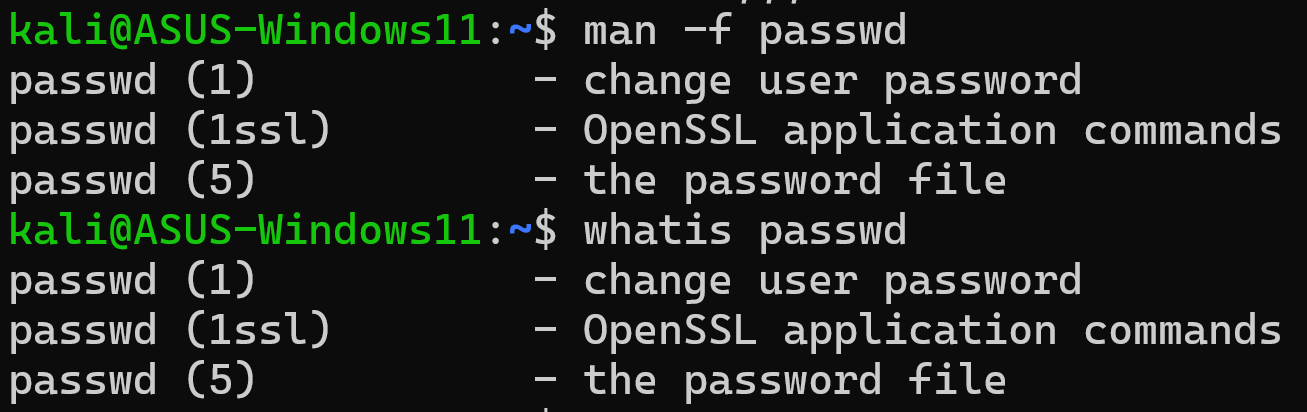
The man command searches sections in order 1 through 9 and returns the first match. To see all sections that have a page for a given name:
man -f passwd       # equivalent to: whatis passwd
# passwd (1)     - change user password
# passwd (5)     - the password file
To open a specific section:
man 5 passwd # opens the file format documentation
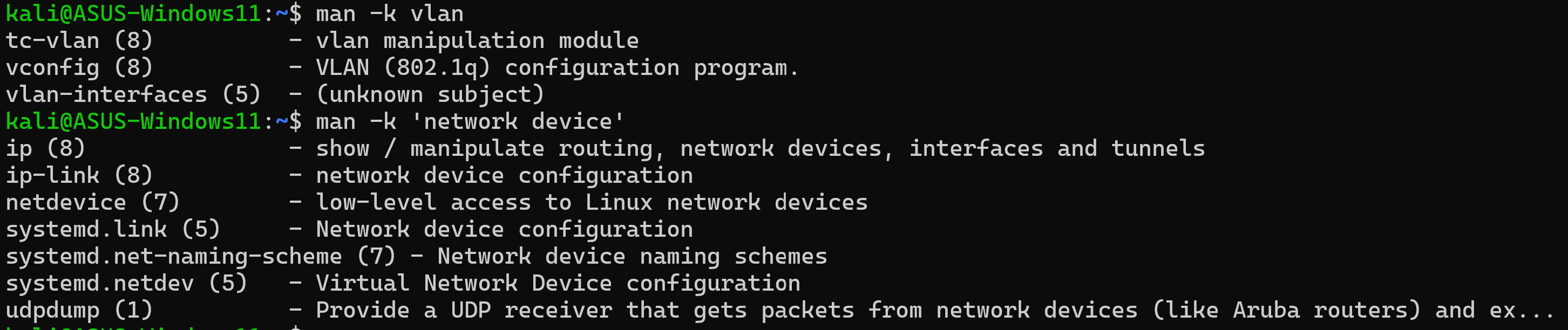
To search all man page descriptions by keyword:
man -k partition    # equivalent to: apropos partition
# lists all man pages whose description mentions "partition"
Finding Commands and Documentation Link to heading
whereis locates the binary, source code, and man page for a command in the standard filesystem locations:
whereis ls
# ls: /bin/ls /usr/share/man/man1/ls.1.gz
Man pages are typically compressed with gzip (.gz extension) — man decompresses them automatically before display.
which finds only the executable in the PATH:
which python3
# /usr/bin/python3

Finding Files with locate Link to heading
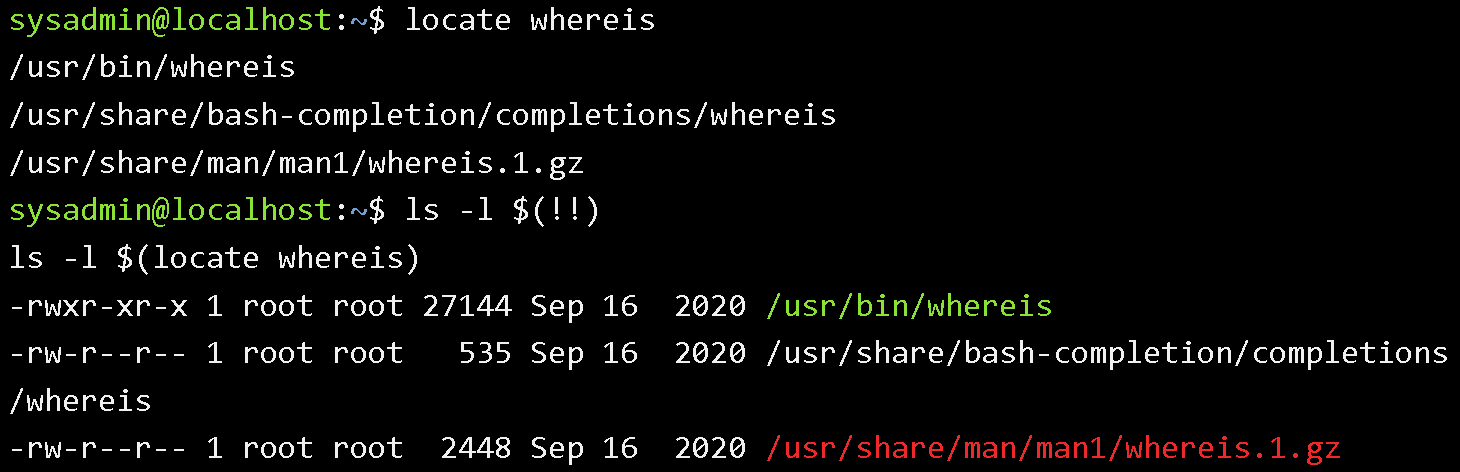
locate searches a pre-built database of all files on the system for filenames matching a pattern. It is significantly faster than find for name-based searches because it queries a database rather than walking the live filesystem.
locate passwd           # find all files with "passwd" in the path
locate -b passwd        # match only the basename (filename, not full path)
locate -c passwd        # count matches only, do not list them
locate -b '\passwd'     # exact basename match (backslash anchors the term)
The locate database is updated nightly by a cron job (updatedb). Files created since the last update will not appear in locate results. To search for recently created files, update the database manually (requires root) or use find instead:
sudo updatedb
When run as a regular user, locate respects filesystem permissions — it will not return results for files the current user cannot access. Root sees everything.
To filter locate output and get detailed metadata:
locate "*.conf" | xargs ls -lh 2>/dev/null
Info Documentation Link to heading
info provides documentation in a hyperlinked, structured format — think of it as a navigable book rather than a single reference page. Info documents break content into nodes (chapters), with hyperlinks to related topics.
info ls             # open the info page for ls
info                # open the top-level info directory
Navigation within info:
| Key | Action |
|---|---|
| Arrow keys | Move cursor |
| Enter | Follow a link |
n |
Next node (next chapter) |
p |
Previous node |
u |
Up one level |
Shift+h |
Display full key reference |
q |
Quit |
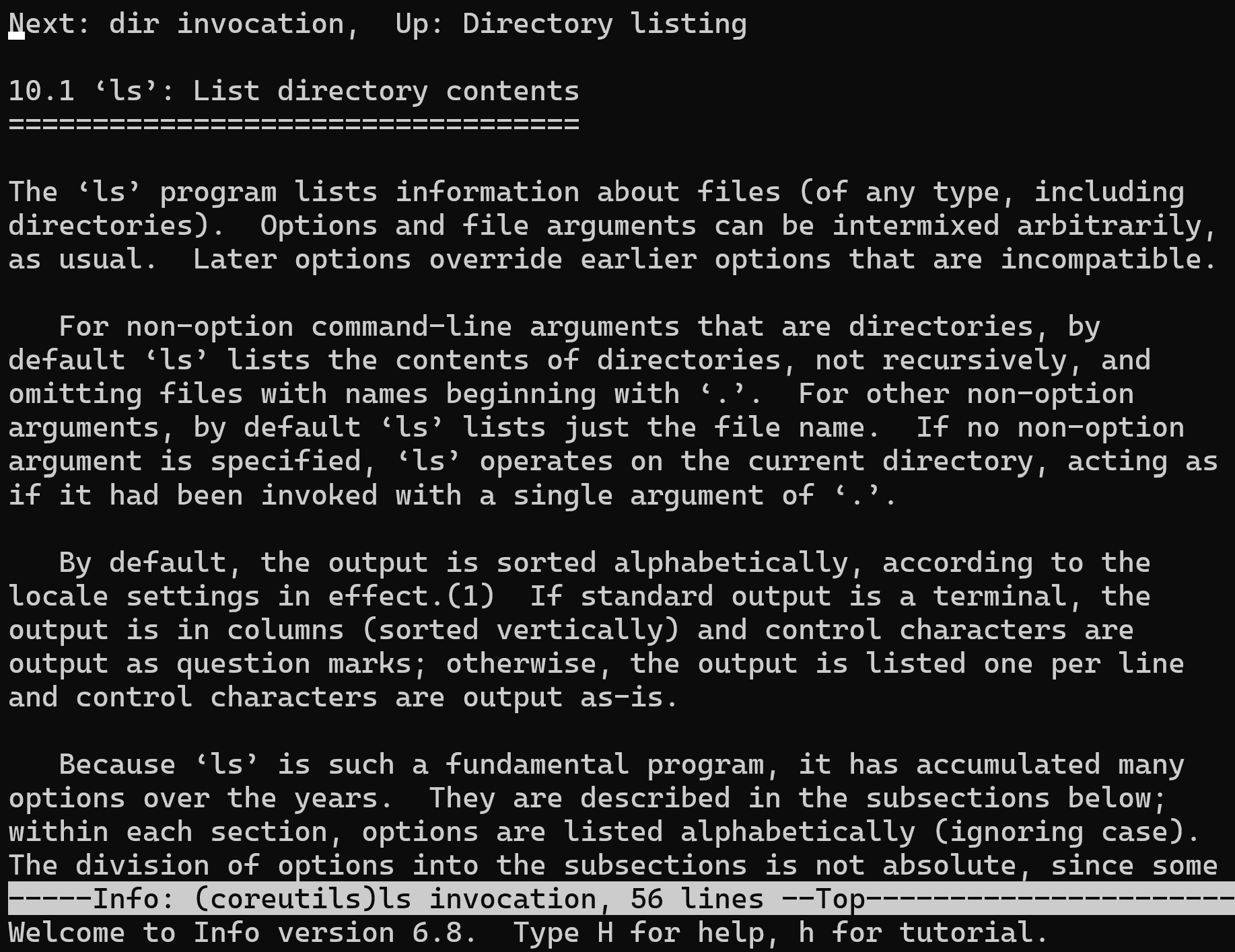
The distinction between man and info in practice: man pages are reference documentation (concise, comprehensive, assumes familiarity); info pages are often more tutorial-oriented and explain the rationale behind features. For GNU utilities (which are the majority of what you use on Linux), info pages are typically more detailed than their man page counterparts.
Additional Help Sources Link to heading
The –help Option Link to heading
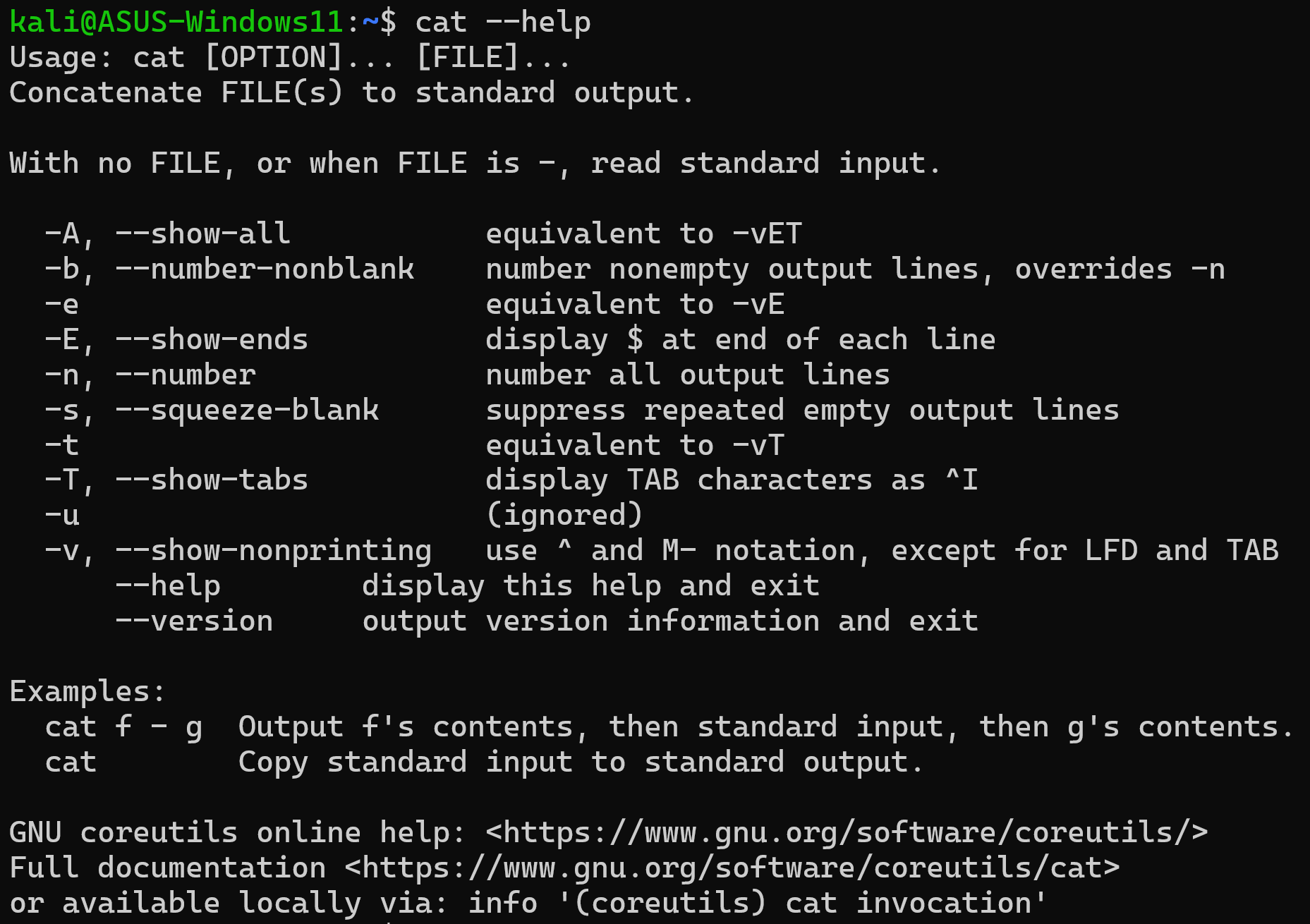
Most commands support --help (or -h) to print a concise usage summary directly in the terminal:
ls --help
grep --help
This is the fastest way to recall a specific option without leaving the current context. The output is shorter than a man page — useful for quick reference, not for complete documentation.
Package Documentation in /usr/share/doc Link to heading
Third-party packages typically install additional documentation (README files, changelogs, example configurations, licence files) under /usr/share/doc/packagename/. This is where administrators look for setup guides for complex services like databases, web servers, and mail servers.
ls /usr/share/doc/nginx/
ls /usr/share/doc/postgresql/
Files named README, README.Debian, README.md, INSTALL, or changelog.gz are common. Compressed files (.gz) can be read with zcat or zless:
zless /usr/share/doc/nginx/changelog.gz